
Enteception
If you enable 2FA in Ente Photos, that also enables 2FA for the same Ente account in Ente Auth and Ente Locker, because all three use the same account. So if you store your Ente account's 2FA code inside Ente Auth, you can end up needing Ente Auth to log into Ente Auth.
There are multiple answers, none of which are better or worse, they just depend on your situation and risk tolerance.
We recommend that you ensure you store your recovery key in a safe place (writing it down on a paper is a good idea). This key can be used to bypass Ente 2FA in case you are locked out.
Another option is to use a separate account for Ente Auth.
Also, exporting the encrypted backup is another good way to reduce the risk (you can easily import the encrypted backup without signing in).
Ente also offers Legacy (emergency contacts) and support for Passkeys. Both help reduce the risk of being locked out of your Ente account.
Legacy allows you to designate trusted contacts who can recover your account in case you are unavailable. The primary use case is to pass on your memories after your death, but it also helps recover your account in case you forget your password and recovery key. Trusted contacts can initiate account recovery, and if you do not block this within 30 days, they can reset the password and access your account.
Passkeys serve as a modern and secure alternative to traditional 2FA codes. Instead of entering a code, you can authenticate using biometric data, hardware security keys, or device-based authentication.
Email verification for Ente Auth
There is a related ouroboros scenario where if email verification is enabled in the Ente Auth app and the 2FA for your email provider is stored in Ente Auth, then you might need a code from your email to log into Ente Auth, but to log into your email you needed the Auth code.
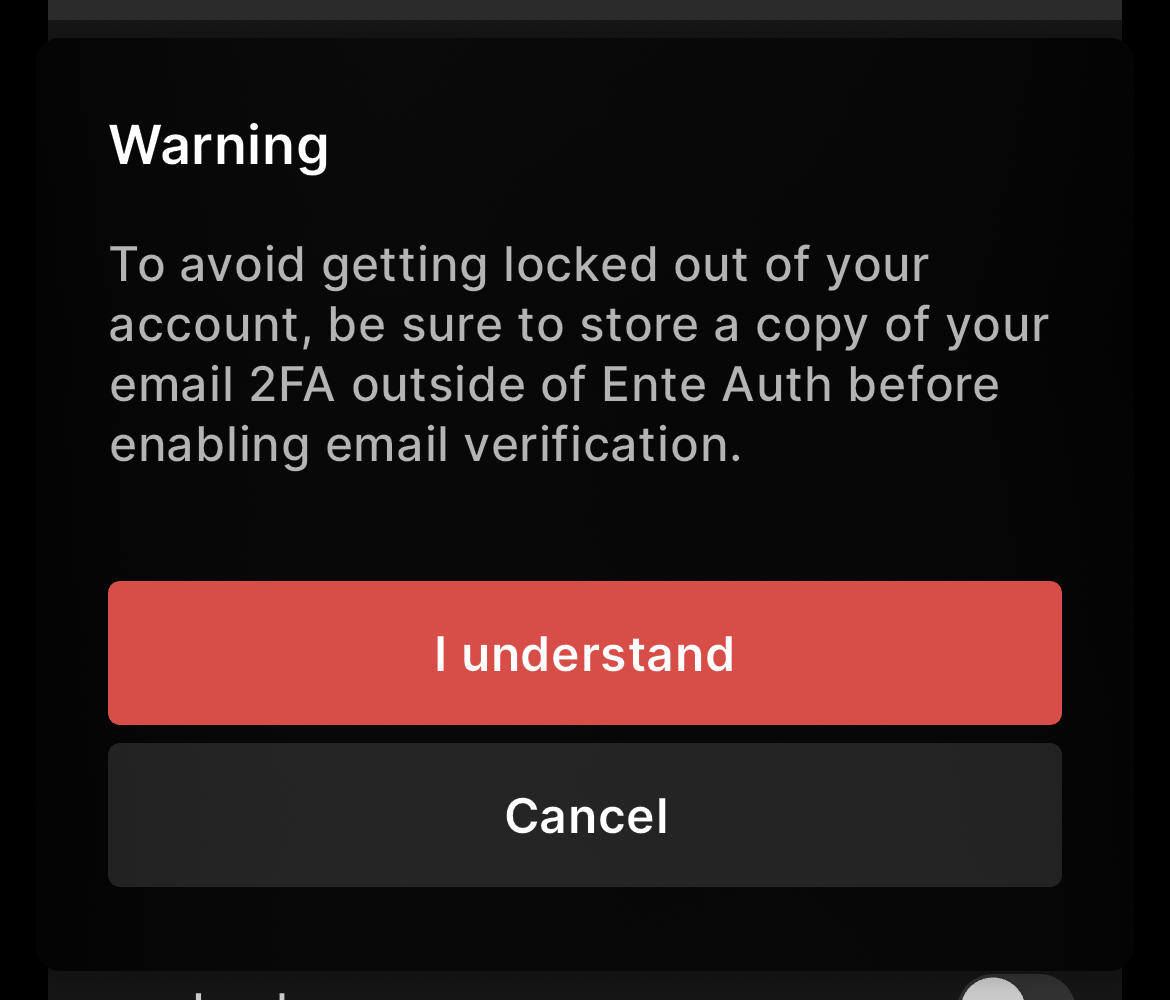
To prevent people from accidentally locking themselves out this way, email verification is disabled by default in the auth app. We also try to show a warning when you try to enable email verification in the auth app:
The solutions here are the same as the Ente-in-Ente case.
TL;DR;
Ideally, you should note down your recovery key in a safe place (may be on a paper), using which you will be able to by-pass the two factor.